
Key Takeaways
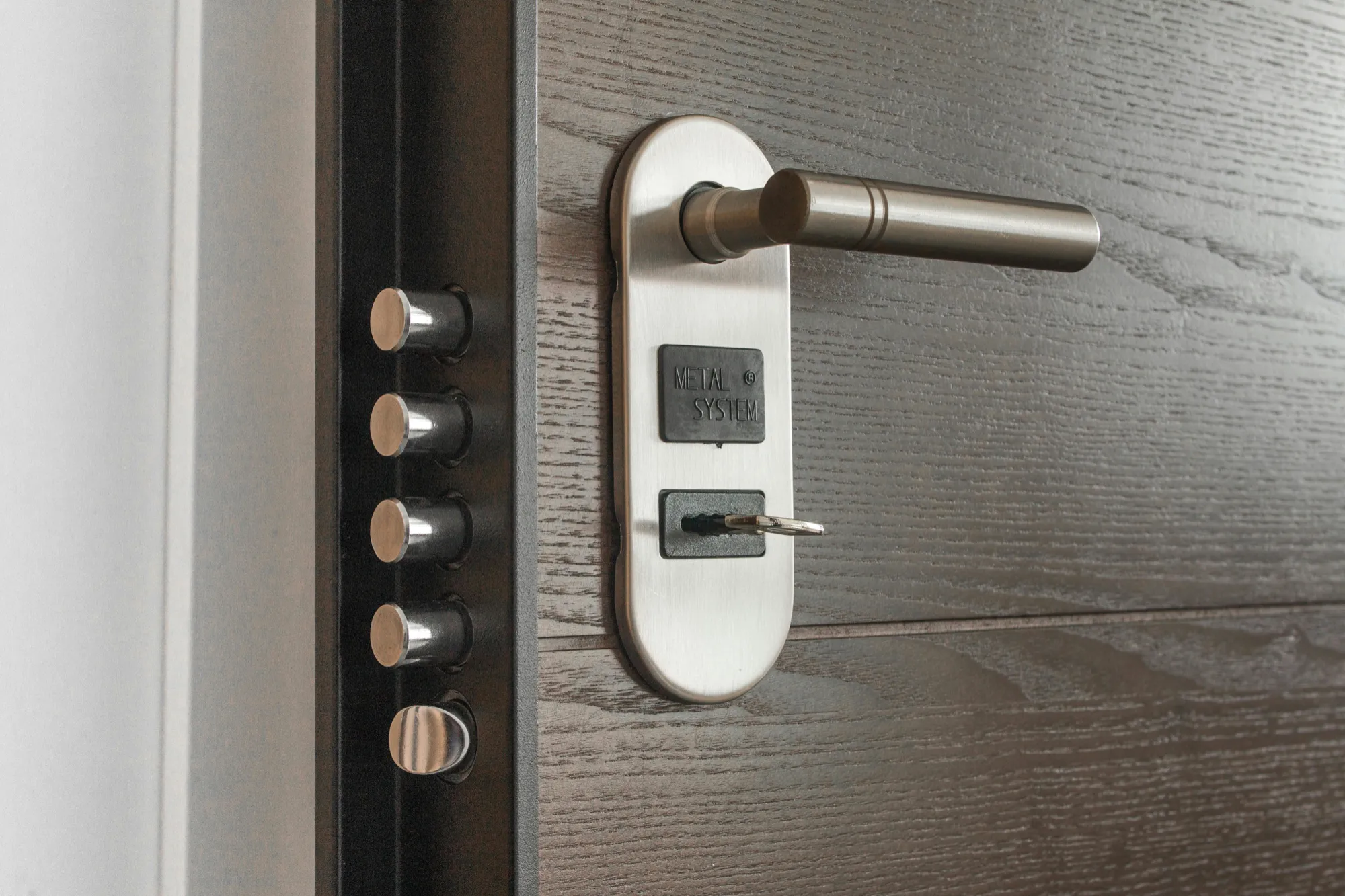
- Security systems and smart home devices remain active after death until deliberately cancelled or transferred, continuing to charge monthly fees and monitor properties during estate administration
- Executors need access to the deceased person's online accounts, passwords, and authentication methods to control security systems, adjust settings, or cancel services
- Maintaining security monitoring during estate administration protects vacant properties from break-ins but requires coordinating with monitoring companies about account changes and emergency contact updates
- Smart home devices including cameras, voice assistants, and connected appliances contain recorded data and activity logs that may have privacy implications or estate value requiring careful handling
- Transferring security systems and smart devices to new homeowners or family members requires account transfers, reinstallation processes, and sometimes equipment purchases depending on proprietary system requirements
{{blog-cta-admin}}
Why Security Systems and Smart Homes Create Estate Challenges
The proliferation of connected home technology over the past decade means most homes now contain multiple devices and systems requiring individual attention after the owner dies, creating complexity that previous generations of executors never faced.
Traditional security systems from companies like ADT, Brinks, or Vivint operate through long-term contracts with monthly monitoring fees typically ranging from $30 to $60. These contracts continue billing until formally cancelled, often with early termination fees if the deceased person was mid-contract. The systems physically installed in homes are usually leased equipment that must be returned or purchased outright when cancelling service.
Smart home ecosystems from Amazon Alexa, Google Home, Apple HomeKit, or Samsung SmartThings connect dozens of devices including smart locks, video doorbells, indoor and outdoor cameras, smart thermostats, lighting systems, garage door openers, and appliances. Each device is linked to the deceased person's account requiring their login credentials to access, modify, or transfer. Losing access to the primary account can effectively brick expensive equipment.
Video doorbells and security cameras from Ring, Nest, Arlo, or similar companies continuously record activity both before and after death. Footage captured in the days and weeks following death shows family members, executors, estate sale attendants, real estate agents, and others entering the property. This recorded data has privacy implications and potentially evidential value if disputes arise about who accessed property when or what items were removed.
Subscription costs for these services add up quickly when multiplied across multiple systems. Ring subscriptions run $4 to $20 monthly, Nest Aware costs $6 to $30 monthly, ADT monitoring averages $45 monthly, plus various other service subscriptions for individual devices. Across a typical connected home, these subscriptions might total $100 to $300 monthly, substantial ongoing costs during estate administration if not addressed promptly.
Smart locks create unique security concerns because the deceased person may have shared digital keys with friends, family, service providers, or housekeepers who retain access after death. Unlike physical keys that can be changed with new locks, digital access requires navigating account systems to revoke permissions. Unauthorized access to vacant estate property through unrevoked digital keys poses real security risks.
Energy costs can escalate when smart thermostats, lights, or other systems continue operating on the deceased person's automation schedules. A thermostat set to maintain 72 degrees year-round, lights programmed to turn on each evening, or pool heaters running on automatic schedules waste energy and money for vacant properties. Executors must access these systems to adjust settings appropriately for unoccupied homes.
Finding and Inventorying All Security and Smart Home Systems
Before you can manage or cancel these systems, you must identify everything installed in the home and locate the accounts, passwords, and access credentials needed to control them.
Conduct a physical walk-through of the property systematically documenting every connected device. Check all entry doors for smart locks or electronic deadbolts, look for video doorbells at front and back doors, identify security cameras both inside and outside the home, locate the main security system panel usually near the primary entrance, find smart thermostats on walls, check light switches for smart switches or bulbs, examine garage doors for smart openers, and identify any voice assistants like Alexa devices or Google Home speakers.
Search for security system documentation and installation records. Check file cabinets, desk drawers, or home office areas for contracts, installation receipts, user manuals, or warranty information. These documents identify the service providers, account numbers, and contact information needed to manage accounts. Original contracts may also specify early termination fees or equipment return requirements.
Look for password managers on the deceased person's computers or phones that might contain login credentials for various smart home accounts. Common password managers include LastPass, 1Password, Dashlane, or browser-based password saving in Chrome or Safari. Accessing these password managers provides login information for Ring, Nest, Alexa, SmartThings, and security company accounts.
Check email accounts for subscription confirmations, billing receipts, and service notifications. Search email for terms like "security," "monitoring," "Ring," "Nest," "smart home," "subscription," or specific company names. Email confirmations show which services are active and often include account information or links to manage accounts.
Review bank and credit card statements for recurring charges that reveal active subscriptions. Look for monthly charges to security companies, Ring, Nest, Google, Amazon, or other smart home service providers. Even small monthly charges like $3.99 or $9.99 indicate active services requiring attention. Statement line items often include enough information to identify the specific service.
Install and check common smart home apps on your own phone to see if the deceased person's home systems are discoverable. Sometimes devices are configured to allow local network access without requiring account credentials. Download Ring, Nest, Alexa, Google Home, and SmartThings apps, then check if devices on the property's WiFi network appear as available systems. This doesn't provide full control but confirms which systems exist.
Create a comprehensive inventory spreadsheet documenting each system and device found including device type and brand, location in the home, account username if known, subscription service and monthly cost, monitoring company contact information, and priority status for whether it must remain active or can be cancelled.
Maintaining Security During Estate Administration
Vacant properties face significantly higher burglary and vandalism risks, making security system maintenance during estate administration an important consideration rather than simply cancelling everything immediately.
Continue active monitoring services for properties that will remain vacant for weeks or months during probate and estate settlement. Professional monitoring provides police dispatch when alarms trigger, protecting property from break-ins while it's unoccupied. The monthly monitoring fees are legitimate estate expenses that protect assets worth far more than the subscription costs.
Update emergency contact information with monitoring companies immediately after death. Security companies call listed contacts when alarms trigger. If the deceased person remains the primary contact, monitoring companies might attempt to call them repeatedly during emergencies before escalating to police. Update contacts to the executor, a family member living nearby, or someone who can respond if alarms activate.
Change security system access codes and master passwords that the deceased person may have shared with others. Service providers, home health aides, housekeepers, neighbors with emergency access, or friends whose house-sat might have codes or keys that should be revoked. Contact the security company to change the main access code, then distribute new codes only to authorized individuals like executors, real estate agents if listing the home, or contractors performing necessary repairs.
Install additional cameras or modify existing camera coverage if valuable items remain in vacant properties. Estates sometimes contain jewelry, artwork, collectibles, or other valuables that cannot be immediately removed. Repositioning existing cameras or adding temporary cameras to monitor high-value areas provides additional security documentation if items go missing during estate administration.
Set up motion alerts and notifications on smart home systems to your own phone so you receive immediate notification if someone enters the property unexpectedly. Most security systems, smart locks, and cameras can send push notifications or emails when activity is detected. Configure these alerts to your contact information rather than the deceased person's email or phone.
Coordinate security access with real estate agents, estate sale companies, appraisers, and contractors who need legitimate property access during estate administration. Provide temporary access codes or digital keys that expire after specific dates, document who received access and when, and revoke access immediately after their work completes. This creates accountability while allowing necessary estate activities.
Consider the balance between security system costs and property value when deciding whether to maintain services. A modest home with few valuable contents might not justify $60 monthly monitoring fees for six months while a luxury home with valuable furnishings clearly needs continued protection. Make economically rational decisions about what level of security the estate actually requires.
Accessing and Managing Smart Home Accounts
Without the deceased person's login credentials and authentication methods, controlling smart home devices and accounts becomes extremely difficult or impossible, requiring systematic approaches to gain access.
Attempt to log into known accounts using common passwords the deceased person used for other services. People often reuse passwords across multiple accounts. If you've accessed their email or bank accounts, try those same passwords on smart home service accounts. This simple approach sometimes works despite security professionals' warnings against password reuse.
Use password recovery processes through email access if you've gained control of the deceased person's email accounts. Go to login pages for Ring, Nest, Alexa, Google Home, SmartThings, or security company accounts and click "forgot password." Password reset links sent to email allow creating new passwords and gaining account access. This approach works when you control the email account but don't have the original password.
Contact service providers directly with death certificates and executor documentation when password recovery fails. Call customer service for each smart home company explaining you're the executor for a deceased account holder who needs to access or cancel services. Be prepared to provide the deceased person's full name, email address, account information if available, certified death certificate, Letters Testamentary or Letters of Administration, and your identification as executor.
Some companies cooperate readily with executors while others have restrictive policies protecting account privacy even after death. Google, Amazon, and Apple have varying policies about providing access to deceased users' accounts. Be persistent and escalate to supervisors if initial representatives refuse to help. Explain that you need access to protect estate property and that the deceased person's privacy concerns don't override legitimate estate administration needs.
Two-factor authentication systems create additional complications when the deceased person's phone or authentication app was the second factor. If accounts require codes sent to phones you don't have access to or authentication apps like Google Authenticator on devices you cannot unlock, gaining access becomes significantly harder. Companies may allow authentication method changes with sufficient documentation but this varies by provider.
Factory resetting devices as a last resort removes them from the deceased person's account but also erases all settings, recordings, and configurations. Most smart home devices have physical reset buttons or procedures to restore factory settings. This makes devices available to set up under new accounts but loses all historical data and automation settings. Consider whether data preservation matters before resetting.
Hire specialized IT professionals or smart home technicians if systems are complex or valuable enough to justify professional help. Local smart home integration companies, IT consultants, or security system specialists can often navigate account access, device management, and system transfers more efficiently than executors trying to figure it out themselves. Fees typically range from $100 to $300 per hour but might save days of frustration.
Deciding What to Keep, Transfer, or Cancel
Not all security and smart home systems require the same handling—some should be maintained, others transferred to new owners or heirs, and many can be cancelled once estate administration needs are addressed.
Keep security monitoring active if the property will remain vacant for extended periods or if valuable contents cannot be immediately secured. Continue paying monitoring fees as legitimate estate expenses. Update account contact information but maintain the service until the property sells or distributes to heirs. This protects estate assets worth far more than the subscription costs.
Transfer smart home systems to new homeowners if the property is being sold with devices installed. Many buyers expect homes to include smart thermostats, doorbells, and basic automation as standard features. Coordinate with the security company or smart home providers about proper transfer procedures. Some systems require account transfers while others need the old account cancelled and devices factory reset for new owner setup.
Transfer devices to family members inheriting the property or who want specific items. Adult children who want their parent's Nest thermostat, Ring doorbell, or security cameras can have these devices once properly transferred to their own accounts. This preserves estate value by distributing useful items to heirs rather than cancelling and disposing of everything.
Cancel monitoring services you don't need to maintain if the property won't be vacant or if other security measures are sufficient. Once a house is occupied by a surviving spouse or heir, professional monitoring may be unnecessary. Cancel subscriptions to stop ongoing costs while potentially maintaining the physical equipment for the new resident's use.
Remove and dispose of cameras that recorded sensitive locations like bedrooms or bathrooms to protect the deceased person's privacy and prevent these devices from falling into others' hands with potentially sensitive footage. Security cameras are sometimes installed in private areas that should not be transferred to others. Factory reset and physically destroy these specific cameras while transferring or maintaining cameras in common areas.
Sell valuable smart home equipment that's easily removed and has resale value. High-end security cameras, smart speakers, smart displays, and automation hubs can be sold individually after factory resetting. List items on eBay, Facebook Marketplace, or specialized smart home forums. Proceeds benefit the estate while preventing useful equipment from being wasted.
Return leased security system equipment to avoid charges. Many security contracts specify that panels, cameras, and sensors are leased equipment that must be returned when cancelling service. Contact the company to arrange equipment return. Failure to return leased equipment can result in substantial charges to the estate for unreturned items.
Privacy Considerations for Recorded Data
Security cameras and smart home devices create, store, and sometimes share data that has privacy implications for the deceased person, their family, and others who visited the property.
Video recordings from security cameras, doorbells, and indoor cameras may capture sensitive moments from the deceased person's final days at home. Footage might show medical emergencies, end-of-life care, personal moments, or distressing events that family members might not want preserved. Consider whether to review, preserve, or delete these recordings based on family preferences and potential estate relevance.
Voice recordings from Alexa, Google Home, or Siri capture conversations, commands, and ambient audio from the home. These recordings are stored in cloud accounts and may include private conversations, personal information, or family discussions. Access the voice assistant's account to review what was recorded and delete voice history if preferred. Major platforms provide tools to delete voice recordings in bulk.
Smart home activity logs track who entered the home and when through smart locks, what temperature settings were used, when lights were on or off, and countless other data points about daily life. This information might be mundane or might reveal patterns relevant to estate matters. Consider whether logs have any value for confirming timelines, verifying access, or documenting property conditions before deleting accounts.
Sharing access to camera feeds or recorded video requires careful consideration of who should view potentially sensitive content. Executors might need to review footage for estate protection purposes, but broad family sharing of recordings could violate the deceased person's privacy. Make deliberate decisions about what recordings are shared and with whom rather than giving everyone access to everything.
Preserving recordings may be necessary if disputes exist about estate administration or property access. If conflicts arise about who removed items from the home, when damage occurred, or whether unauthorized access happened, security footage provides objective evidence. Download and preserve relevant recordings before cancelling accounts that might delete cloud-stored data.
Deleting recordings protects the deceased person's privacy after you've confirmed no estate administration is needed for the data. Once you've verified no relevant information exists in recordings, delete footage and voice recordings to prevent them from potentially being accessed by others if accounts are compromised or improperly shared. Account deletion usually deletes associated recordings, but verifies this before cancelling services.
Costs and Practical Considerations
Understanding the financial implications and practical challenges of managing deceased persons' security and smart home systems helps executors make informed decisions about what to maintain, transfer, or cancel.
Monthly subscription costs accumulate quickly during estate administration. A home with ADT monitoring ($45/month), Ring subscription ($10/month), Nest Aware ($12/month), and alarm.com service ($25/month) costs $92 monthly. Over six months of estate administration, these subscriptions total $552 in costs that benefit the estate if needed for security but waste money if unnecessary.
Early termination fees for cancelling security contracts before their terms expire often range from $100 to $500 or more. Review original contracts to understand what fees apply if cancelling before the term ends. Sometimes paying the early termination fee makes sense if the alternative is paying monthly monitoring fees for many more months. Calculate whether immediate cancellation or continuing until contract ends costs less overall.
Equipment return or purchase requirements affect cancellation decisions. Some companies require returning all leased equipment at cancellation or charge hundreds of dollars for unreturned items. Others allow purchasing equipment for a buyout price if you want to keep it even while cancelling monitoring. Understand these requirements before deciding how to handle each system.
Smart home device values should be considered when deciding whether to remove, transfer, or leave installed. A complete smart home system with hundreds of dollars in connected devices has real value that should be accounted for if selling the house or distributing to heirs. Don't simply abandon valuable equipment if it can benefit the estate.
Technical expertise required for some systems might justify hiring professionals. Executors without technical knowledge might struggle with complex security or automation systems. Paying a professional $200 to $500 to properly handle account access, device management, and system cancellation might prevent costly mistakes and save many hours of frustration.
Time investment for managing multiple systems and accounts shouldn't be underestimated. Each security system, smart home platform, and connected device requires separate attention. Executors juggling multiple responsibilities might prioritize systems requiring immediate attention while delaying others that can wait without significant consequences.
Conclusion
Deceased persons' security systems and smart home devices continue operating after death until deliberately managed, creating ongoing subscription costs, property access concerns, and privacy implications that executors must address during estate administration. These modern connected home technologies demand account access, passwords, and technical knowledge that many executors don't possess, making the task of controlling, transferring, or cancelling these systems more complex than traditional utility cancellations.
By understanding that security systems and smart devices require active management rather than automatic cancellation, executors need login credentials and account access to control connected home systems, maintaining monitoring services protects vacant properties during estate administration, recorded data from cameras and voice assistants has privacy implications requiring careful handling, and transferring or cancelling systems requires coordinating with service providers about proper procedures, you can navigate this modern estate administration challenge while protecting property and respecting privacy.
The proliferation of smart home technology over the past decade means these challenges will only become more common and complex for future estate executors. Today's connected homes contain dozens of devices across multiple platforms requiring individual attention after owners die, creating administrative burdens previous generations of executors never faced.
If identifying all security and smart home systems in a deceased person's property, gaining account access without original passwords, coordinating with multiple service providers about transfers or cancellations, managing ongoing costs during estate administration, and addressing privacy concerns about recorded data feels overwhelming, Elayne can help inventory security and smart home systems, coordinate with providers about account access and service changes, evaluate which systems should be maintained versus cancelled, and document all connected devices for estate records.
{{blog-cta-admin}}
FAQs
Q: Can I access my deceased parent's Ring or Nest camera accounts without their password?
Potentially yes, by using password recovery through their email if you have access, or by contacting the companies directly with death certificates and executor documentation, though policies vary by provider.
Q: Should I keep the security monitoring service active during estate administration?
Generally yes if the property will be vacant for weeks or months, as professional monitoring protects estate assets from break-ins and the subscription cost is far less than potential loss from burglary.
Q: What happens to video recordings after someone dies?
Recordings remain in cloud storage until accounts are cancelled or data is deleted, making them accessible to anyone who gains account access unless deliberately deleted for privacy protection.
Q: Can I transfer the security system to the new homeowner when selling the property?
Usually yes, by coordinating with the security company about account transfers or cancelling the old account and allowing the new owner to establish their own monitoring service.
Q: Will I be charged early termination fees for cancelling a deceased person's security contracts?
Potentially yes depending on the contract terms, though some companies waive these fees for deceased account holders if you provide proper documentation and request consideration.
Q: How do I revoke smart lock access that my parent may have shared with others?
Log into the smart lock account if you have access and remove all shared users, or change the main access code through the lock's system settings or mobile app.
Q: What should I do with Alexa or Google Home devices after someone dies?
Factory reset them to remove the deceased person's account and voice recordings, then either keep them for your own use, give them to heirs, or sell them as used devices.
**Disclaimer: This article is for informational purposes only and does not provide legal, medical, financial, or tax advice. Please consult with a licensed professional to address your specific situation.










.svg)